%20(1).png)
This guide explains how to efficiently navigate and utilize error messaging designed to streamline troubleshooting and resolution of integration issues for future use cases when the automation does not create or remove an application account of an employee as expected.
Error Message Locations
Error messages are now displayed in two helpful locations to self service troubleshoot:
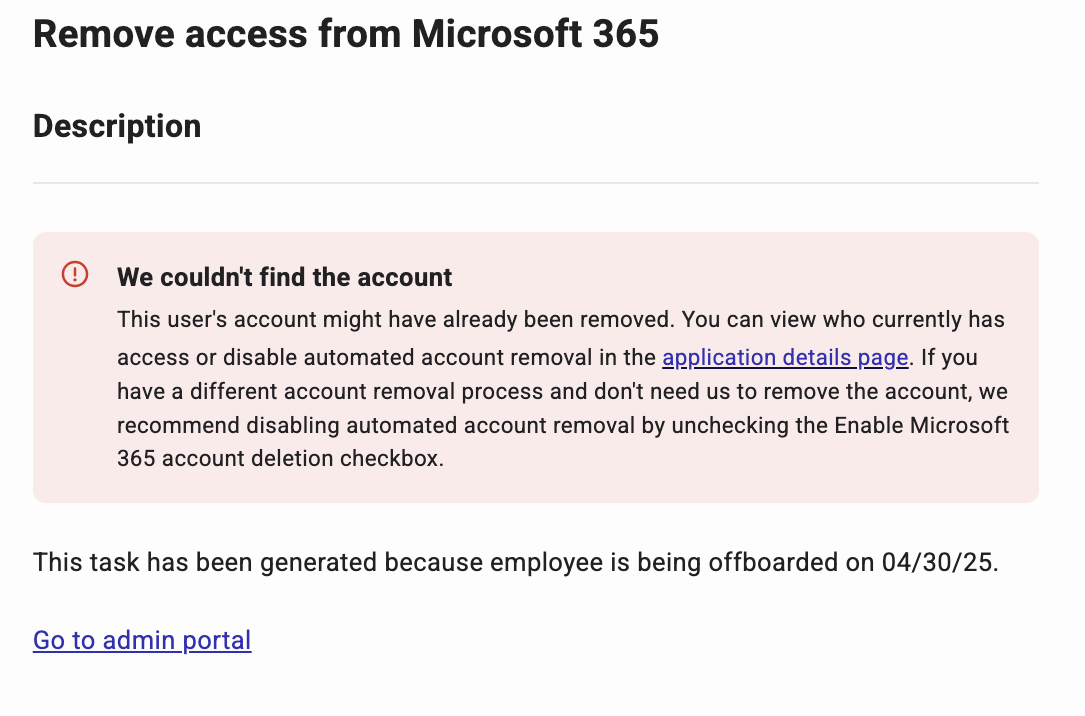
Task Detail Page:
When an integration fails, the app's task card provides an error:
-
Status indicator with color-coding for visual prioritization
-
Clear description of the issue in non-technical language
-
Recommended resolution steps
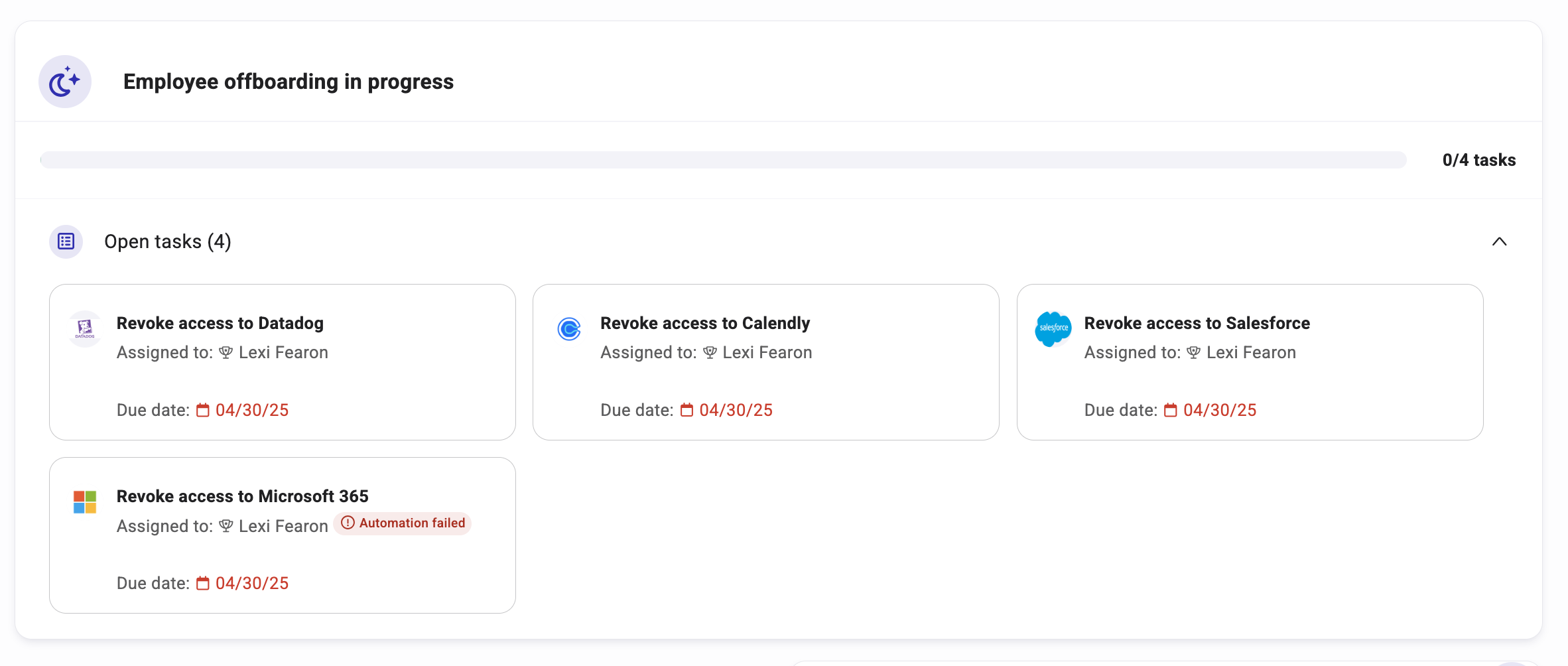
Employee Profile Task Card:
-
For user-specific integration issues, relevant error details appear on individual employee profile task cards, enabling efficient identification of affected users and specific causes.
Error Types and Resolution Procedures
The system classifies integration issues into distinct categories with standardized response protocols:
Unexpected Errors
-
Location: Both app task card and affected employee profile task cards
-
Resolution procedure: Attempt the operation again on the next employee access event, or reach out to product support for additional troubleshooting.
Account Creation Issues
-
Location: Both app task card and affected employee profile task cards
-
Resolution procedure: Navigate to the user management section of the application itself to ensure there are no typos, duplicates, or other issue that blocked the automation from completing.
License Limit Notifications
-
Location: Both app task card and affected employee profile task cards
-
Resolution procedure: Before the next account creation request for a new or existing employee, navigate to the third party application and purchase additional seats.
Missing or Disconnected Integrations
-
Location: Both app task card and affected employee profile task cards
-
Resolution procedure: Navigate to the application details page and disconnect and re-connect the application. You can also attempt to re-connect via the
Accesstab in the application details page.