%20(1).png)
Electric is an official Justworks partner.
Connecting Justworks with Electric streamlines employee management by automatically importing employee data and synchronizing updates. This integration creates a seamless workflow for onboarding and offboarding, ensuring your IT operations remain efficient and up-to-date.
Overview of the Integration
-
Automatic Data Sync: Employee information syncs from Justworks to Electric every ten minutes, ensuring your employee data stays current.
-
Comprehensive Data Import: The integration transfers essential employee details including first name, last name, address, phone number, personal email, work email, department, role, start date, and termination date.
-
Streamlined Workflows: When new employees are added in Justworks with start dates, Electric creates pending employee tasks to initiate onboarding. Similarly, when termination dates are added, offboarding tasks are automatically generated. (Essentials and Pro Plan)
-
Enhanced Hardware Management: Access to current employee addresses and contact information simplifies shipping new hardware and retrieving devices during offboarding.
-
SSO: Electric supports Justworks' SSO and automatic account provisioning.
-
Enhanced IT Management Within Justworks: Employee profiles in Justworks now display assets associated with that employee, and quick links exist to allow for quick access to essential asset-related features.
Electric Account Creation w/Justworks
Justworks customers can instantly create free Electric accounts and enjoy the benefits of Electric’s IT management. To do so, simply log in using SSO (see below) or visit my.electric.ai/justworks. Be sure to connect your integration immediately after account creation.
Note that account creation only occurs once per admin per Justworks account, and that this functionality is only available to admins.
How to Connect
To connect your Justworks instance to Electric:
-
Log in to Justworks
-
Navigate to https://www.justworks.com/integrations/electric
-
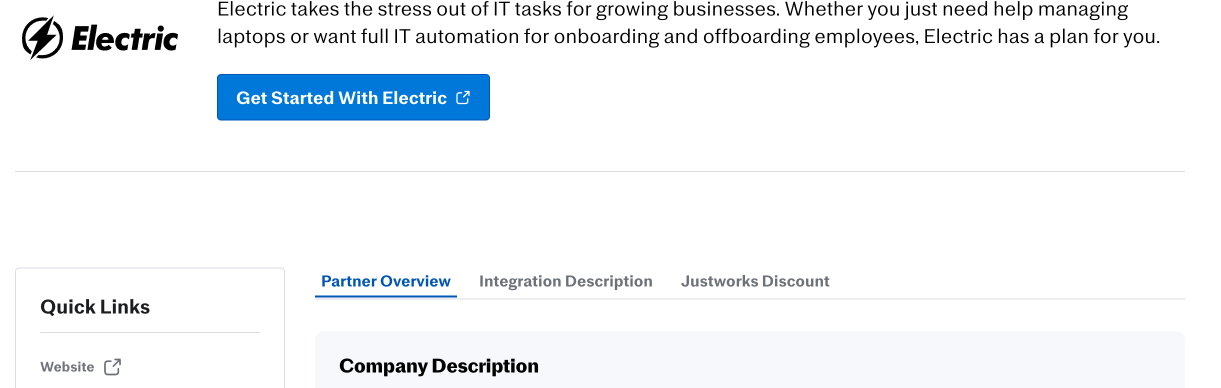
Click “Get Started With Electric”
-
Once in Electric, follow the steps in the widget to connect the integration
-
Once connected you will see a visual indication that you are connected
-
You are all set!
How to Reconnect
To reconnect your Justworks instance to Electric (in case it was deactivated):
-
Log in to the Electric
-
Select Settings
-
Select the Integrations tab
-
Click the three dots in the upper-right corner of the Justworks tile
-
Select ‘Connect integration’
-
Follow the steps in the widget to connect with Justworks
-
Once connected you will see a visual indication that you are connected
-
You are all set!
How to Disconnect
To disconnect your Justworks instance to Electric:
-
Log in to Electric
-
Select Settings
-
Select the Integrations tab
-
Click the three dots in the upper-right corner of the Justworks tile
-
Select ‘Disconnect Integration’
-
You are all set!
How to Log In With SSO
Note: SSO is supported only for Admins in the Justworks system.
To Log in with SSO:
-
Access Electric either directly or from links in the Justworks system
-
If prompted, enter your Justworks credentials in the Justworks crededentials input page
-
If prompted, verify with your phone so that security can be maximized
-
If prompted, select which company you are logging in for. Take care to select the company you wish to administer, especially if this is your initial login!
-
If prompted, agree to data being sent between systems by clicking “Authorize.”
-
You’re in!
Tips for a Successful Integration
-
Ensure that your Justworks account credentials are ready during the setup process and that you are an admin with the necessary permissions. The admin in Justworks must have the Edit company settings, View all employee information, and View basic employee information permissions.
-
Regularly check Electric to perform on and offboarding tasks (reminder emails will be sent).
-
The Justworks integration is not real time, and it can take up to 10 minutes for employees and updates to appear
Troubleshooting
If you encounter issues with the Justworks integration:
-
Verify you have administrator access in both Justworks and Electric. In Justworks, it’s absolutely necessary to have the Edit company settings, View all employee information, and View basic employee information permissions. See this screenshot of the member settings page:
.png?cb=5c0d0c2f27d587832ca9189b0a4e2e4d)
-
The initial sync can take anywhere from 2 minutes to 30 minutes depending on the number of employees you have
-
Check that the correct Justworks instance is connected if your company has multiple accounts
-
Allow up to 10 minutes for recent changes in Justworks to appear in Electric
-
If employee data isn't syncing properly, ensure the required fields are populated in Justworks
-
If using application automation for email creation, ensure work email is populated when adding a new hire. This email will be created when the user is granted a license in Electric.
-
If you did not receive a Complete IT Setup task for your employee, first check whether the employee is marked as Unlicensed. During the Justworks new hire flow, you can choose whether an employee is licensed or unlicensed. If the employee is currently marked as Unlicensed, update them to Licensed, then navigate to Actions > Start Onboard to generate the Complete IT Setup task.
-
For persistent issues, contact Electric support at support@electric.ai
FAQ
-
How often does the integration sync data?
-
The integration syncs employee data from Justworks to every 10 minutes.
-
-
What employee information is synchronized?
-
The integration imports first name, last name, address, phone number, personal email, work email, department, role, start date, and termination date.
-
-
Will existing employees be imported during the initial setup?
-
Yes, all active employees in Justworks will be imported when you first connect the integration.
-
-
How are employee groups handled?
-
Department information from Justworks can be used to automatically assign employees to corresponding groups in Electric.
-
-
What happens when an employee is terminated in Justworks?
-
When a termination date is added in Justworks, Electric automatically creates an offboarding task to begin the offboarding process.
-
-
Does the Justworks integration use a third-party vendor?
-
No, Electric’s integration with Justworks is direct and does not rely on any third-party vendor. This ensures a faster, more secure connection between your HR data and Electric for onboarding and offboarding automation.
-